AI-powered contact center quality assurance: Rapid insights over hours of listening.
200+
New Client Acquired
90%
QA Time Savings
10x
QA Work Acceleration
Product Envisioning
MVP Design
UX/UI Design
Data Visualization
Accessibility
Spokn AI is an AI-powered platform that analyzes customer calls and helps contact centers improve service quality and agent performance.
MaxContact is a UK-based company providing software for contact centers aimed at helping businesses to boost contact rates & build stronger customer relationships.
MaxContact has a vision to automate and enhance quality assurance (QA) in contact centers through AI-powered speech analysis and real-time agent performance insights.

Manual QA is time-consuming and error-prone


Automated call analysis is more objective and reliable in terms of compliance, resulting in better coaching for employees and improved customer experience.
Contact Center Managers have limited visibility of what’s happening on their floor
Call analytics by topic and sentiment and trend analysis allow for understanding the ‘why’ behind business trends and enable data-informed decisions.
Labour-intensive QA
Automated call listening with our fully integrated speech analytics software frees up employees time and reduce business costs.
We began with the MVP focused on Recording Analysis — aiming to replace time-consuming manual QA processes with AI-powered call analysis.
We focused on making manual call monitoring obsolete. By chunking transcripts into small pieces analyzed by a trained data model, QA managers could review key moments faster.
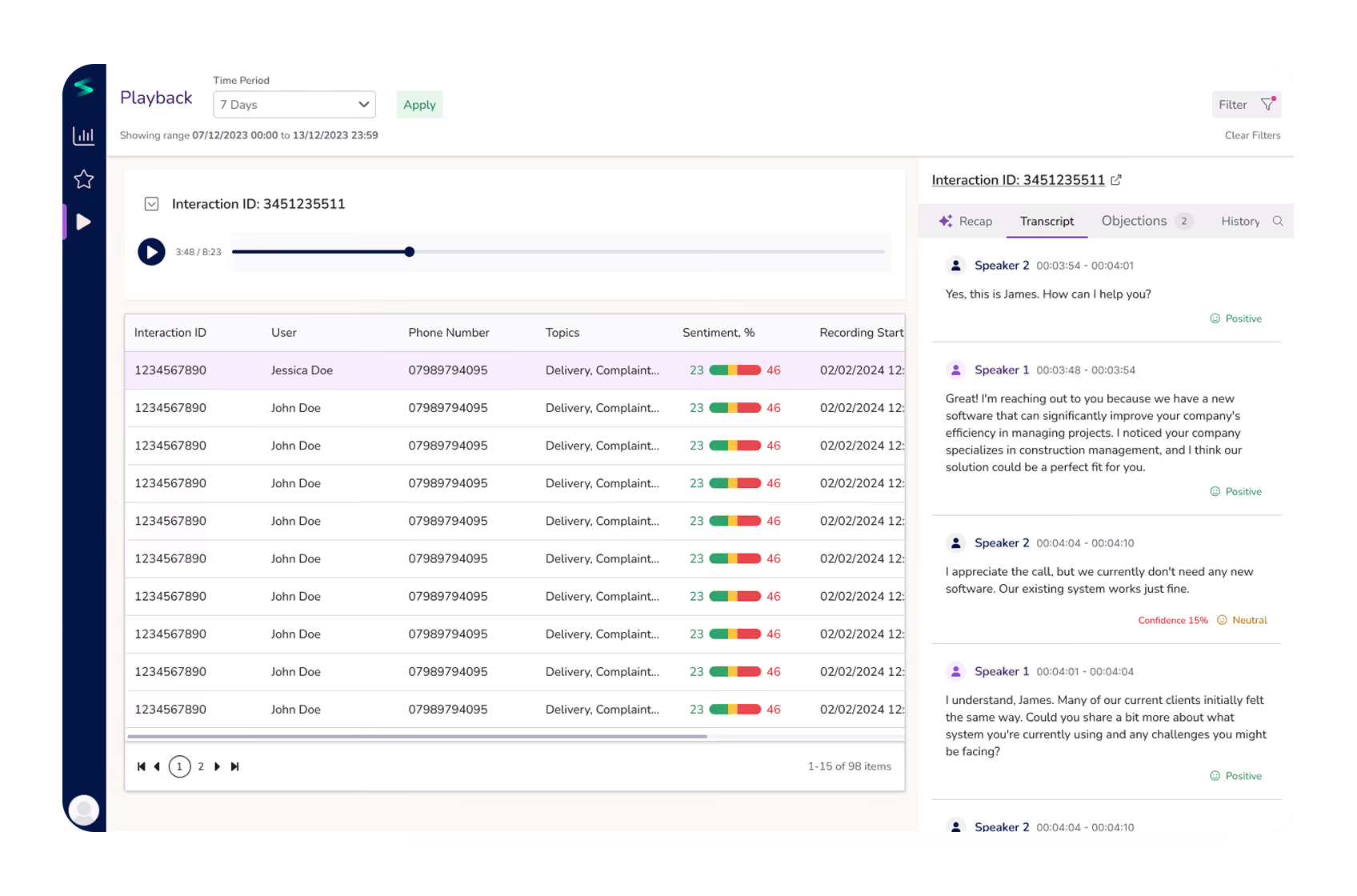
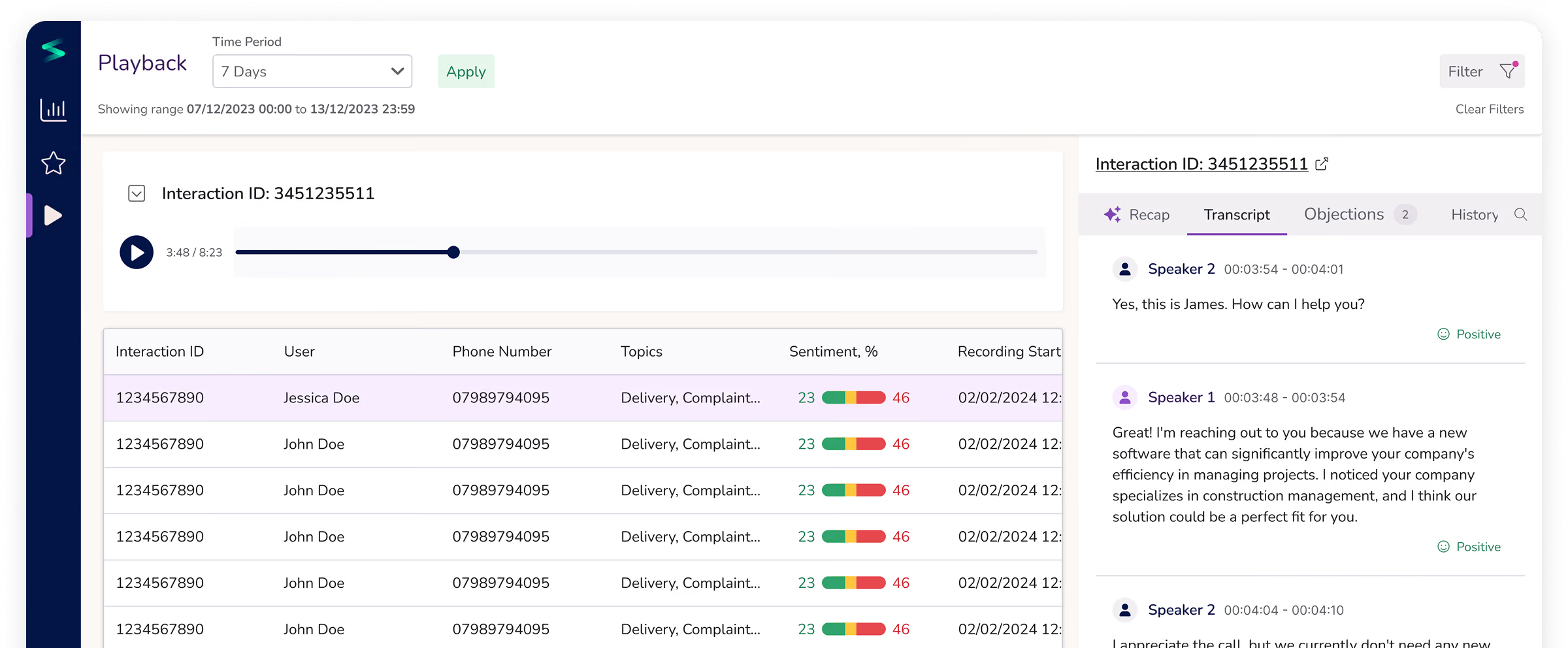
All transcribed calls (powered by AI) are displayed within the playback page for more efficient QA processes. Now QAs can easily prioritize interactions for review by reading quick call summaries of call, glancing over call sentiment charts or applying necessary filters.
Though call summarization sounds easy, it was a burden for QAs previously reading each call transcript thoroughly.
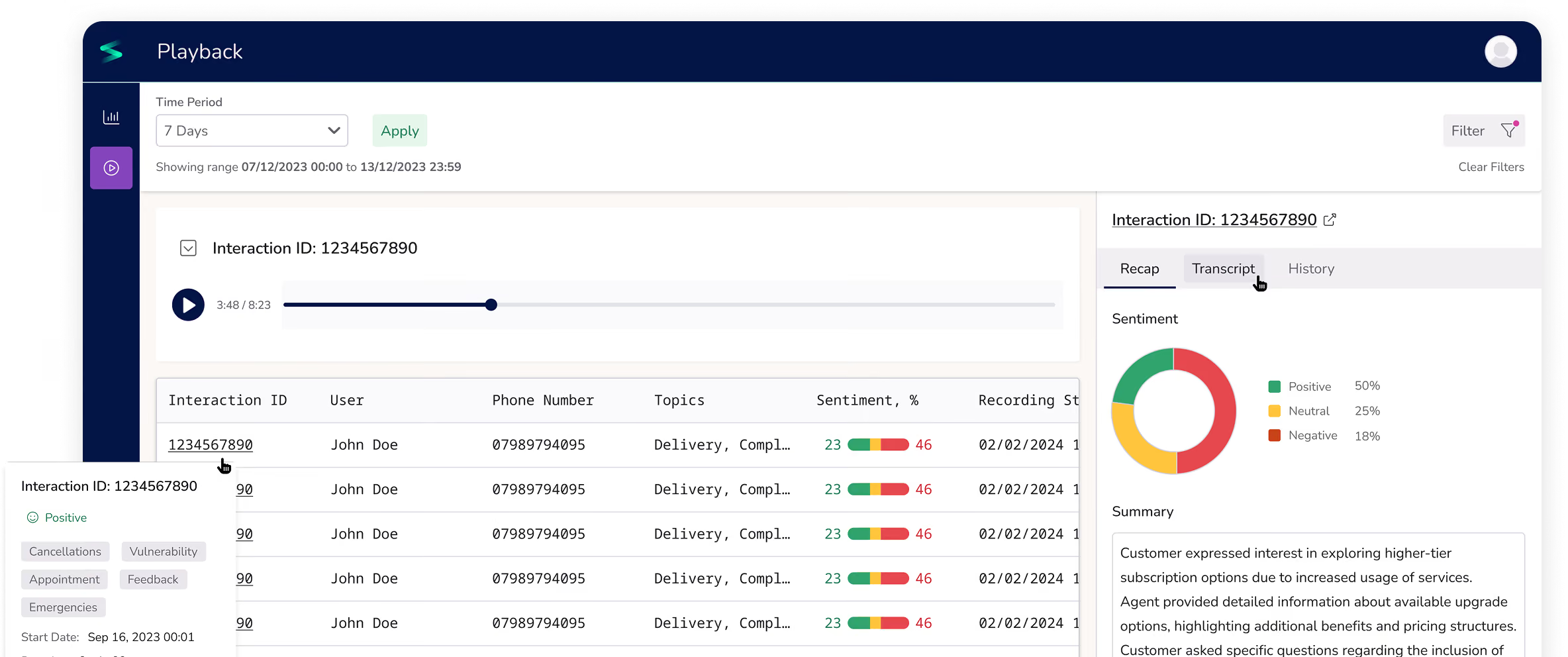
In addition to text transcripts, conversation details include call analytics: detailed playback, call summary, transcript with sentiment per each line, and topic mapping.
This is where we worked with data analysts and data engineers at our parent company, Coherent Solutions, closely on balancing AI speech analysis limitations and user needs. Interactions can now be easily shared with other QAs to cross-check instead of navigating complex Playback filters.
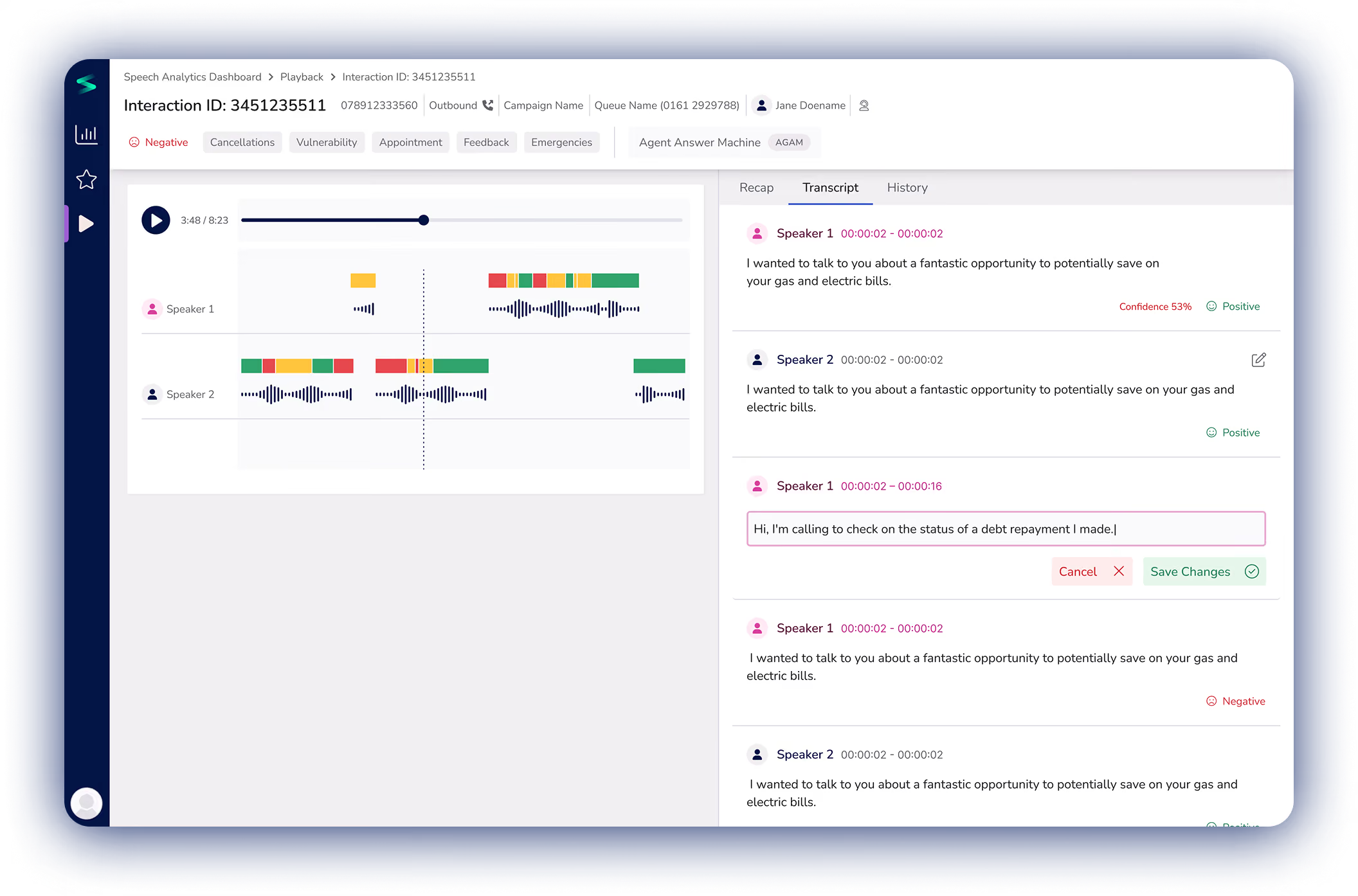
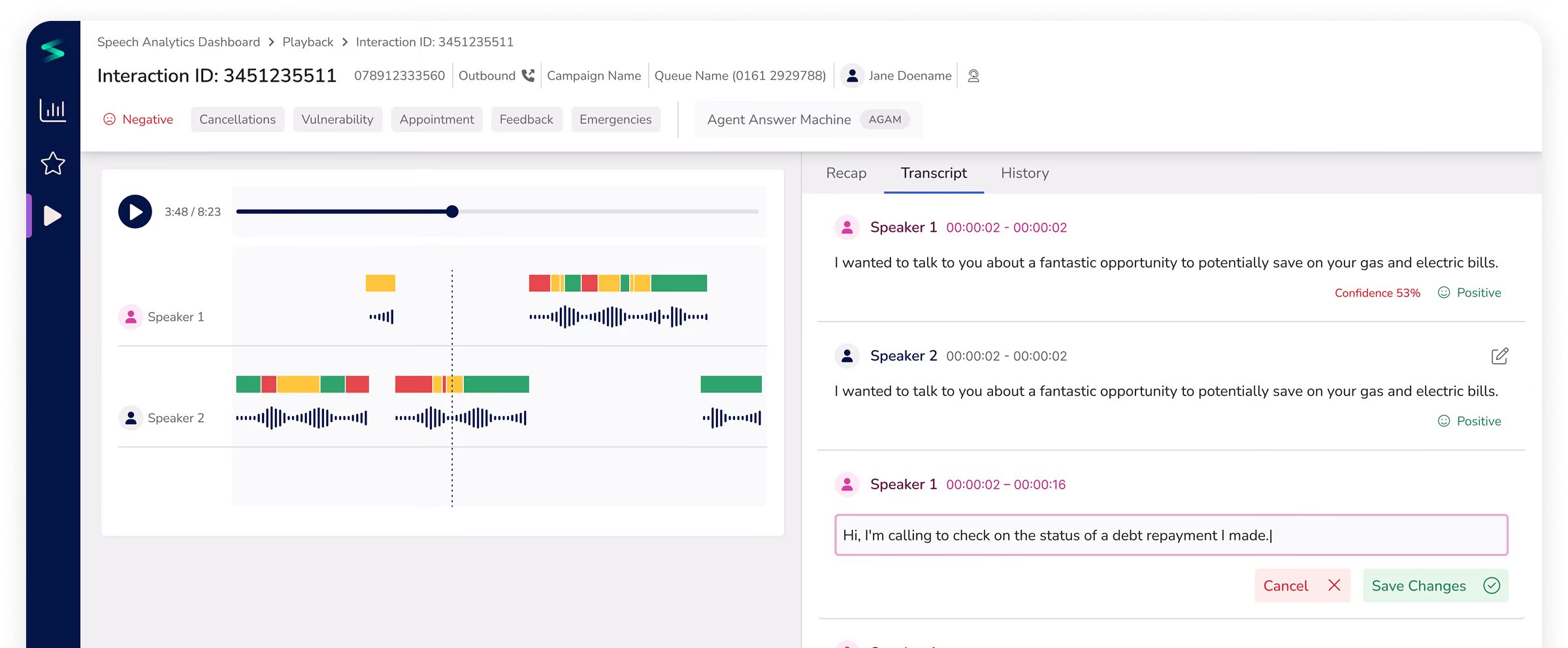
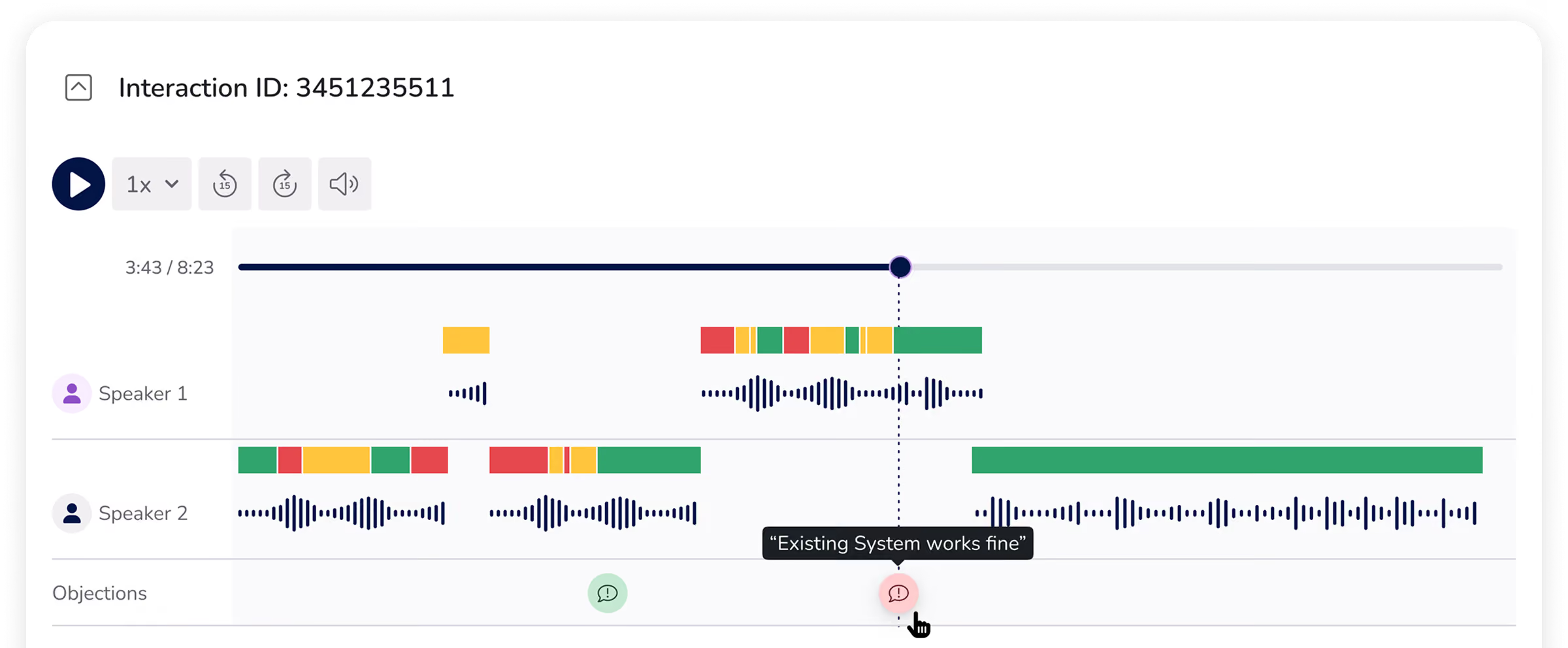
A recording player that initially existed just with ‘play’ button and single recording was split by speakers, visualized with waveforms to see its tone, and enhanced with sentiment, topic and objection analysis, allowing for quick navigation within the recording.
Following user feedback on initial concepts, we added confidence scoring for each interaction line in the call transcript. This helped to keep AI input on sentiment more verifiable for interactions that were less clear
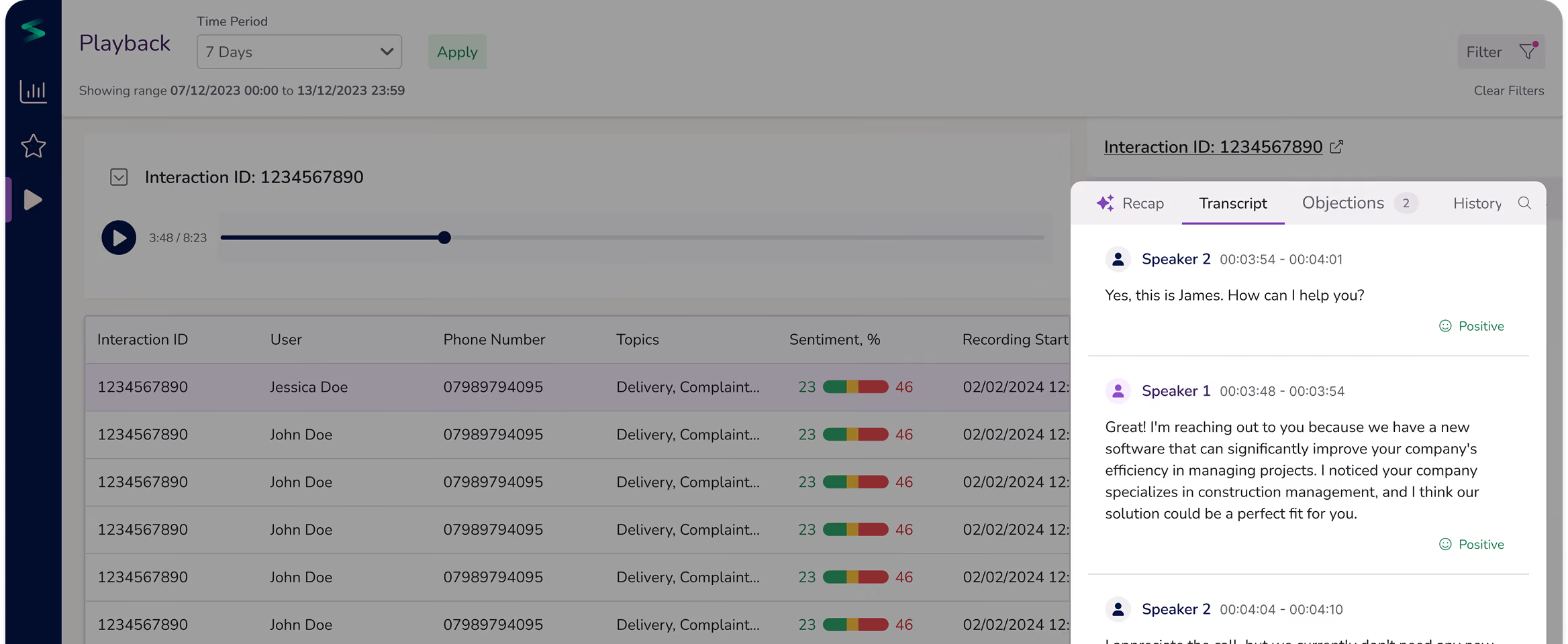
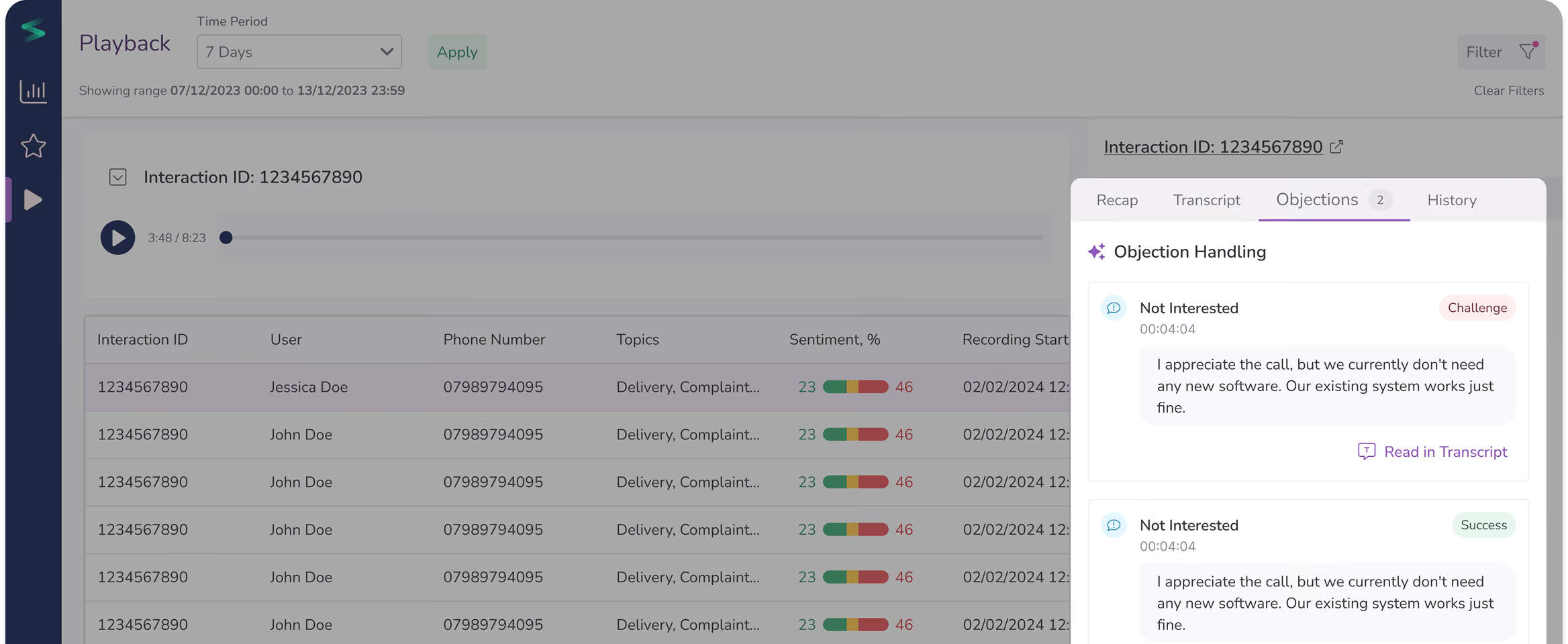
Dialogue analysis has been further enhanced with an additional layer for spotting objections and how they were handled. This increased the depth of QA leading to better staff training and increased sales performance.
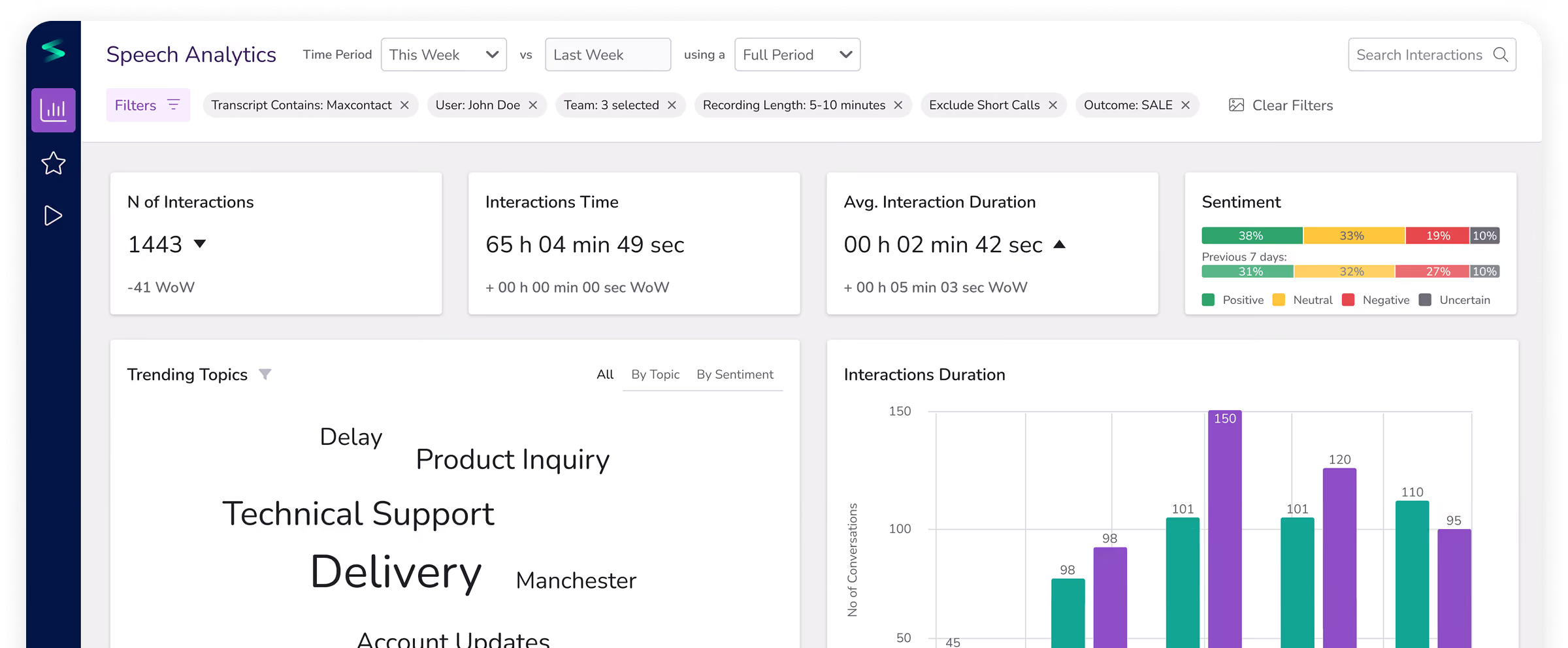
After establishing the core AI-powered call analysis experience, we moved on to the second area — developing a comprehensive Speech Analytics Dashboard.
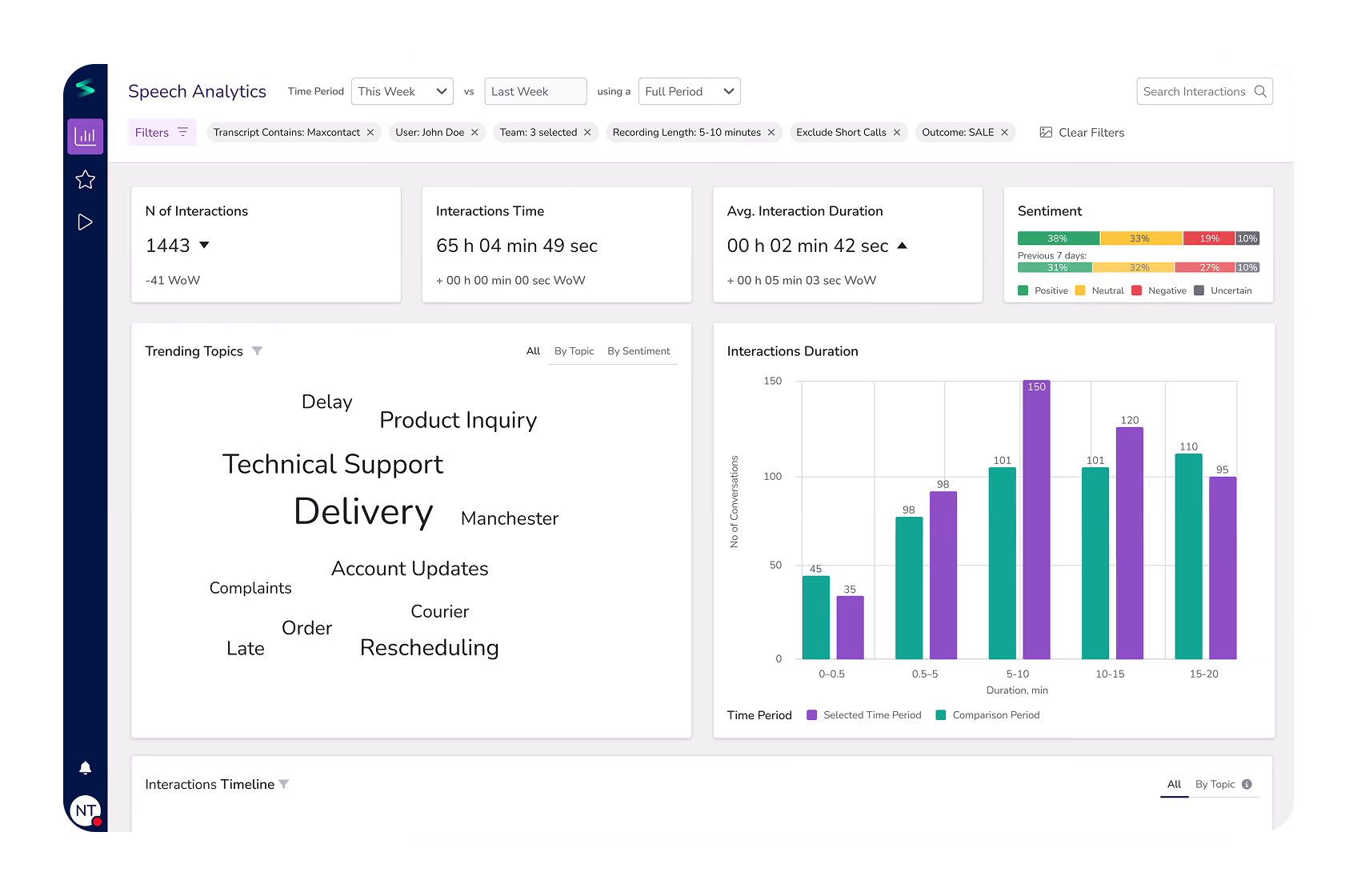
After covering the basis of QA Managers, we moved on to designing an all-in-one insights panel. The goal was to give QA Managers a high-level view of their call center performance with a focus on trending topics, interaction, distribution and performance metrics and give a quick view into most critical interactions.
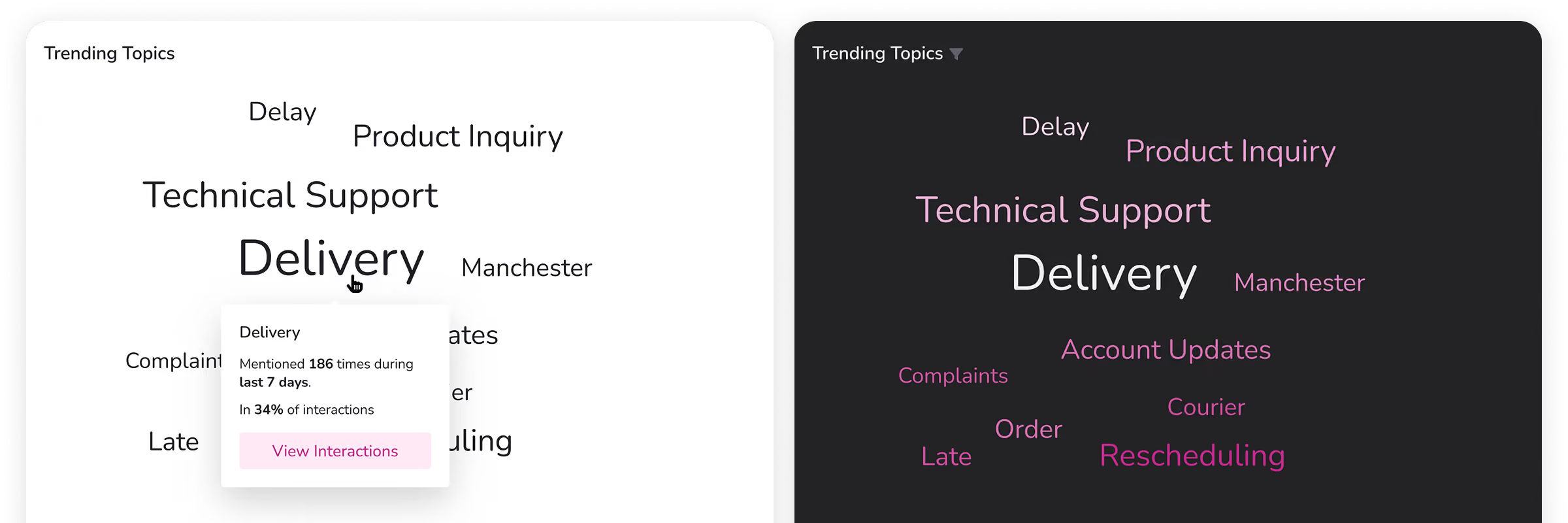
This was the most requested feature based on user interviews. We visualized it as a word cloud to reflect topic frequency and added detailed overviews for each with a possibility to drill down into all related interactions.
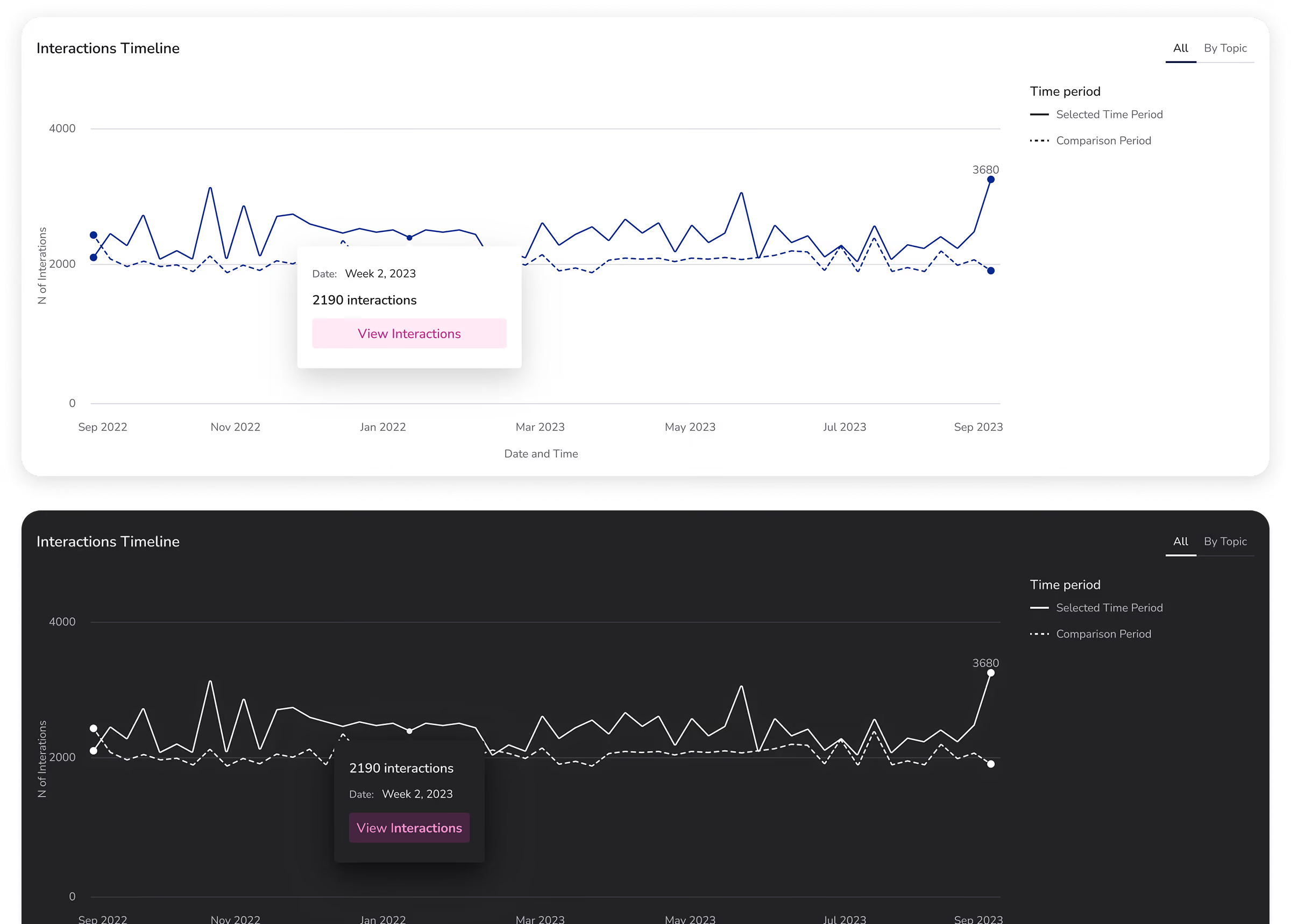
The interactions Timeline provides a comprehensive overview into call center productivity dynamics over time. Sorting by trending topics provides an additional layer of information to identify emerging and declining topics.
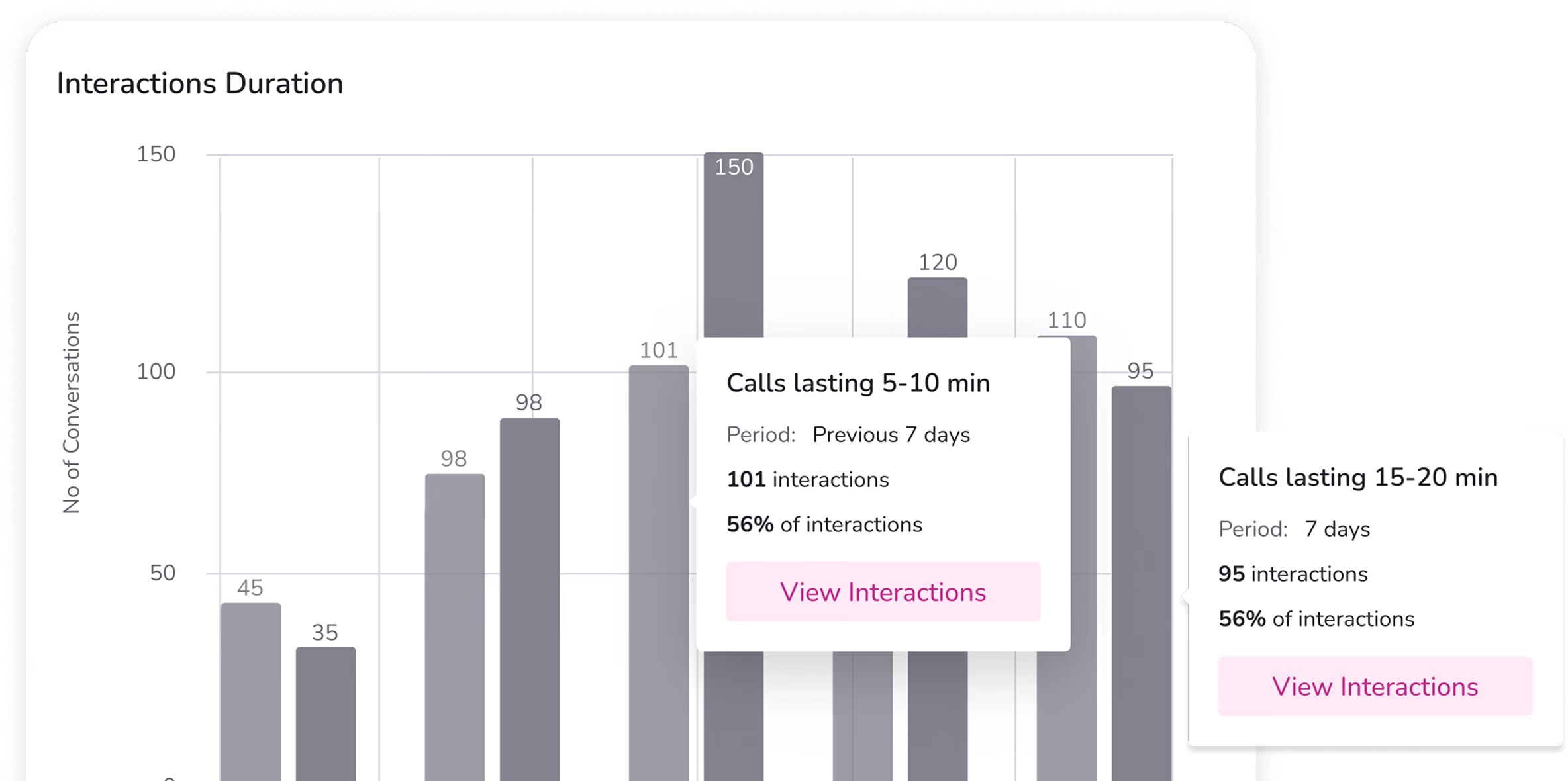
This section gives a quick view into call distribution. Despite its relative simplicity, it is a valuable tool for managers to spot conversations that run too long or too short and act on this info.
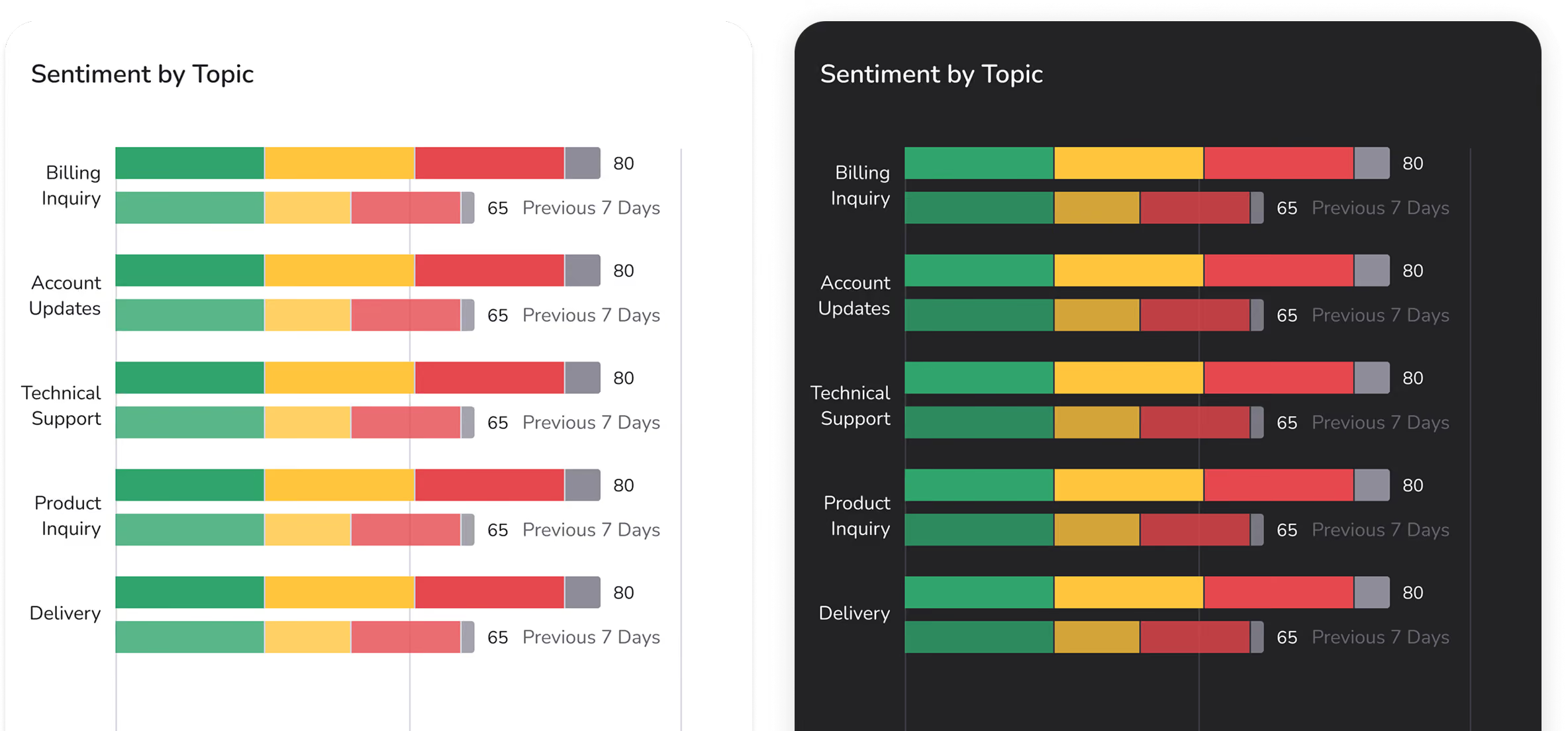
Sentiment Analysis covers both overall company performance and trending topics. Each topic sentiment could be compared with previous 7-day stats and also allows users to quickly navigate into related playbacks.
This dashboard serves as a way to choose QA-demanding conversations in multiple ways.
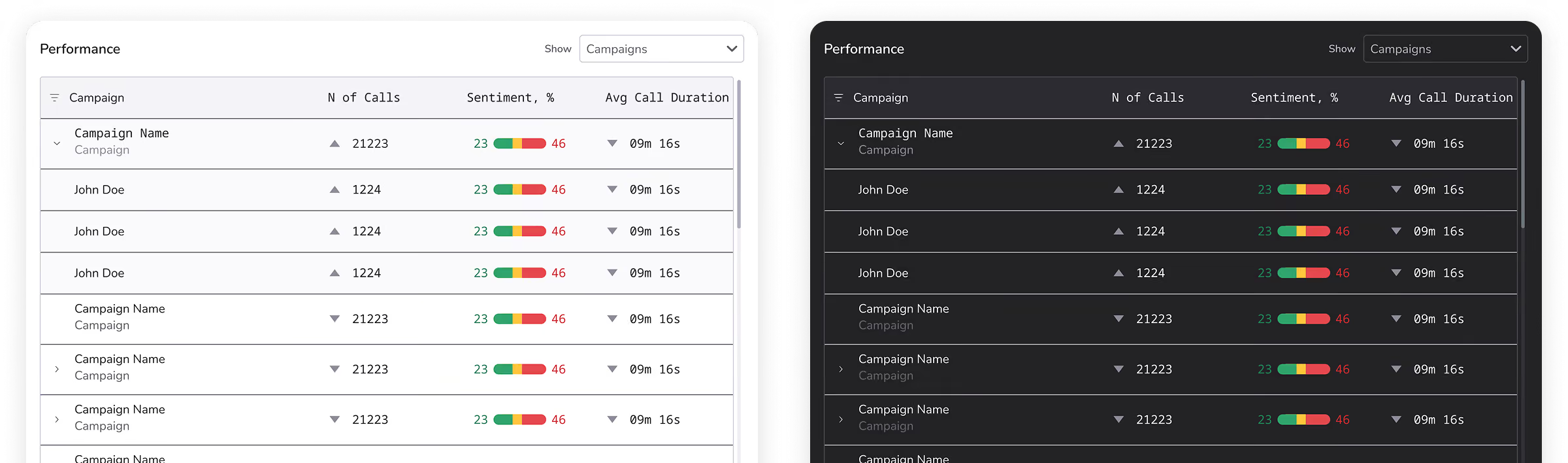
This Performance Panel allows users to track campaign results by teams or individual employees.
200+
New Client Acquired
90%
QA TimeSavings
10x
QA Work Acceleration
In 7 months, we designed and implemented Spokn AI, a powerful AI-driven tool that:

Automatically analyzes call transcripts without human QA.
Identifies sentiment and confidence levels across customer interactions.
Summarizes calls, highlighting conversations needing further attention.
Generates shareable links to individual calls for manager review.
Enables research and pattern recognition across multiple conversations.
Combines gathered insights into actionable dashboards with trending topics.
“As a business, we are very committed to AI and the value it brings. We’ve found a lot of use in Spokn AI, the speech transcription and summarisation feature has been a massive help”.
Call center manager
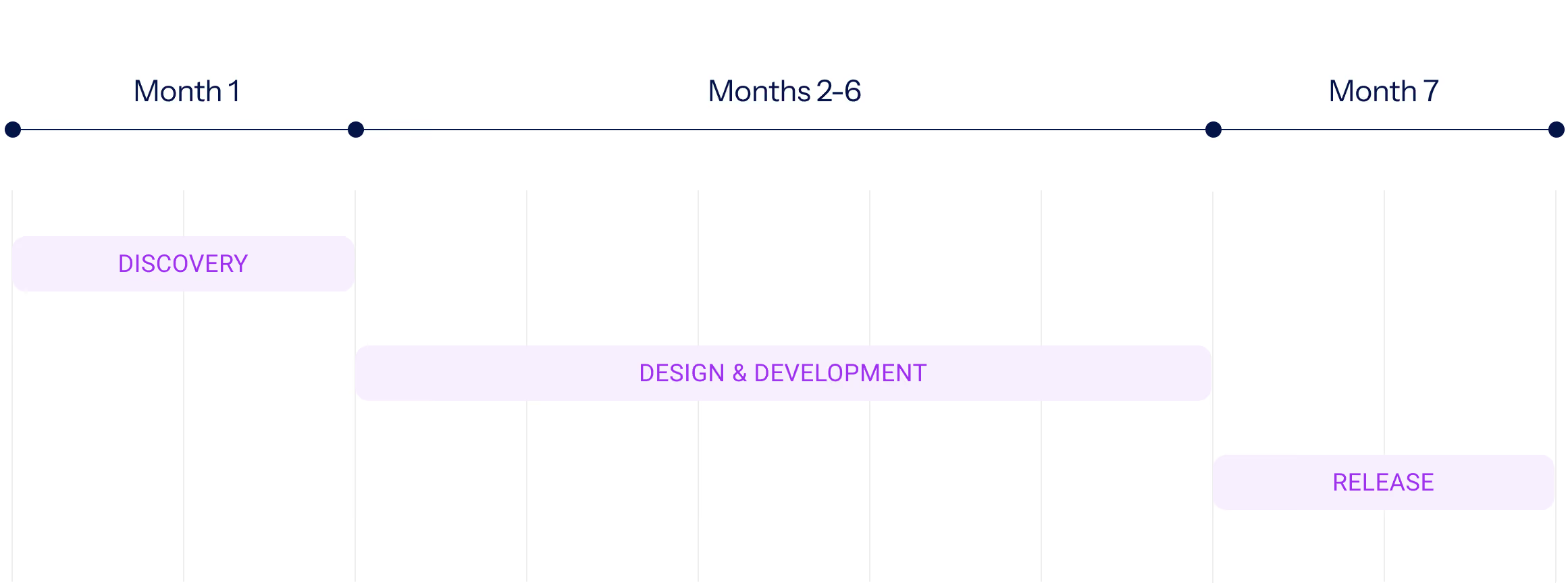
Within our product development process, we spent 1 month on initial discovery - covering design, architecture, and planning. Following this, the team moved into continuous design and development, delivering the product over the next 6 months.
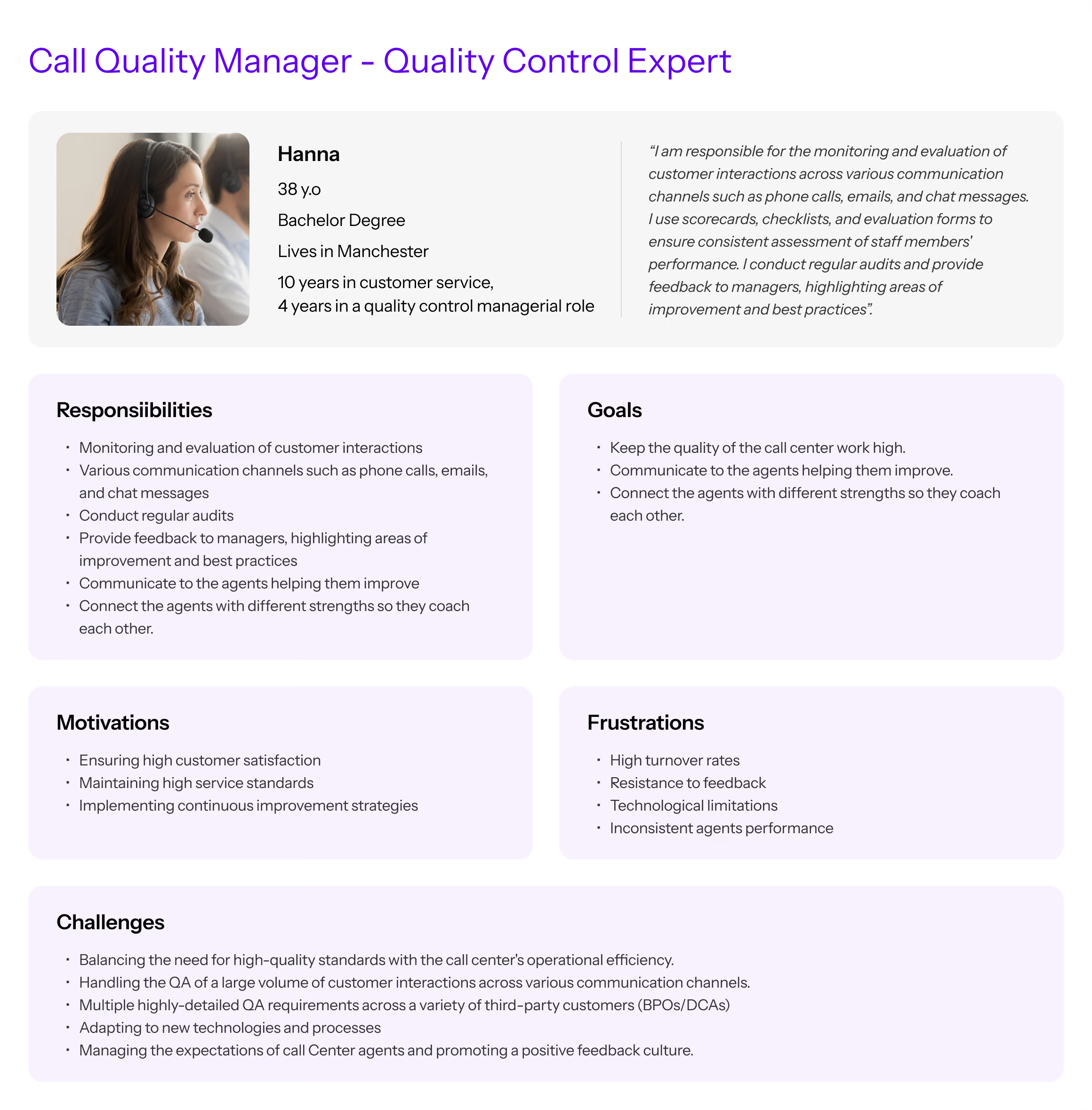
We defined key user personas and validated their needs through interviews and workshops. The initial personas included QA Managers, Operations Managers, Training Leads and Frontline Agents.
Based on the analysis, we prioritized the QA Manager, as addressing their needs delivers the greatest impact on cost reduction and quality improvement for the first release.
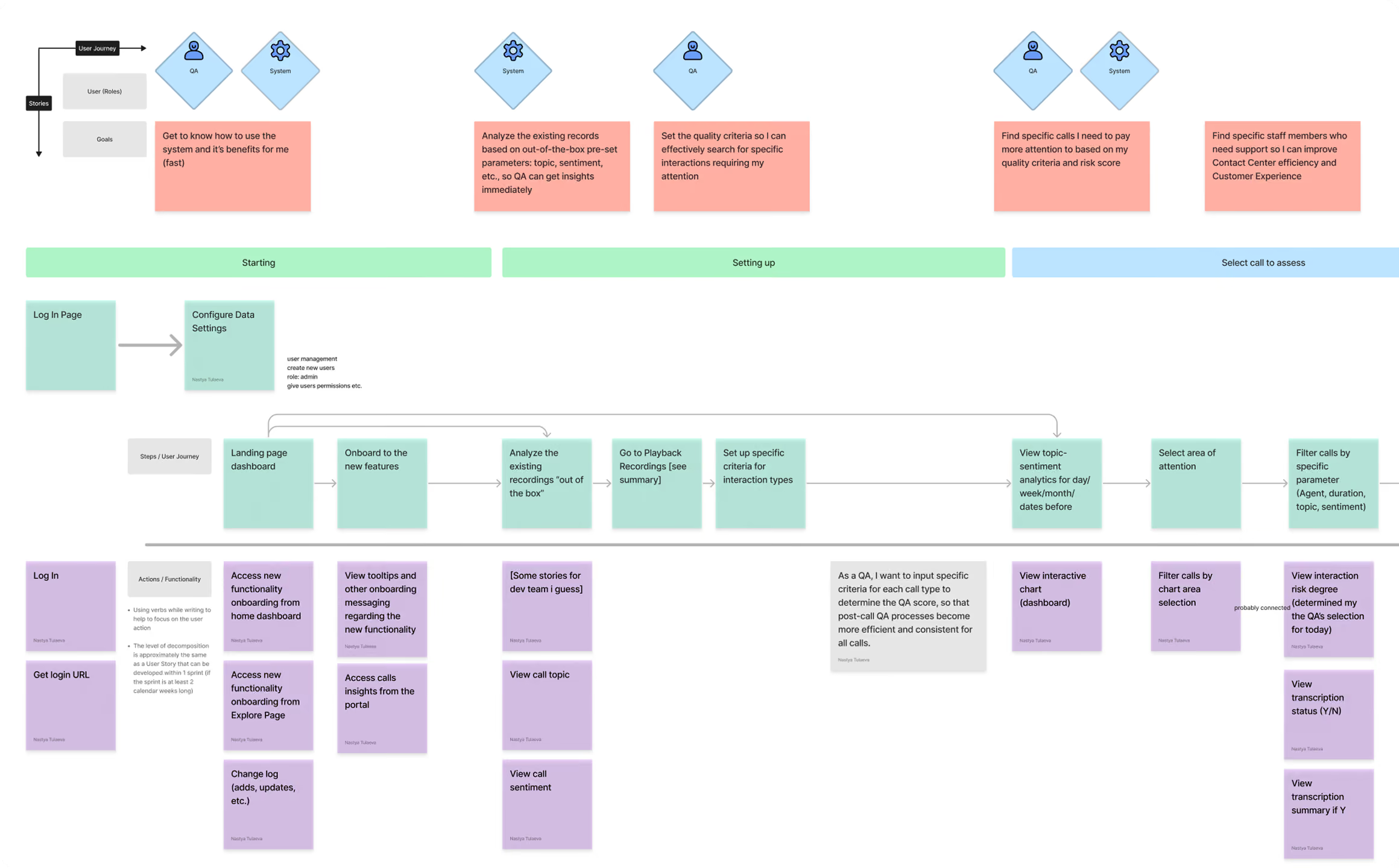
We proceeded with discovery and co-design workshops where The Norm designers worked with MaxContact Product Owners and user representatives to brainstorm potential solutions.
This resulted in a detailed user stories mapping allowing us to develop a clear user flow for further prototyping.
With user needs and flows defined, we moved on to prototyping (low to high fidelity) for call analytics and dashboards, sentiment and objection analysis.
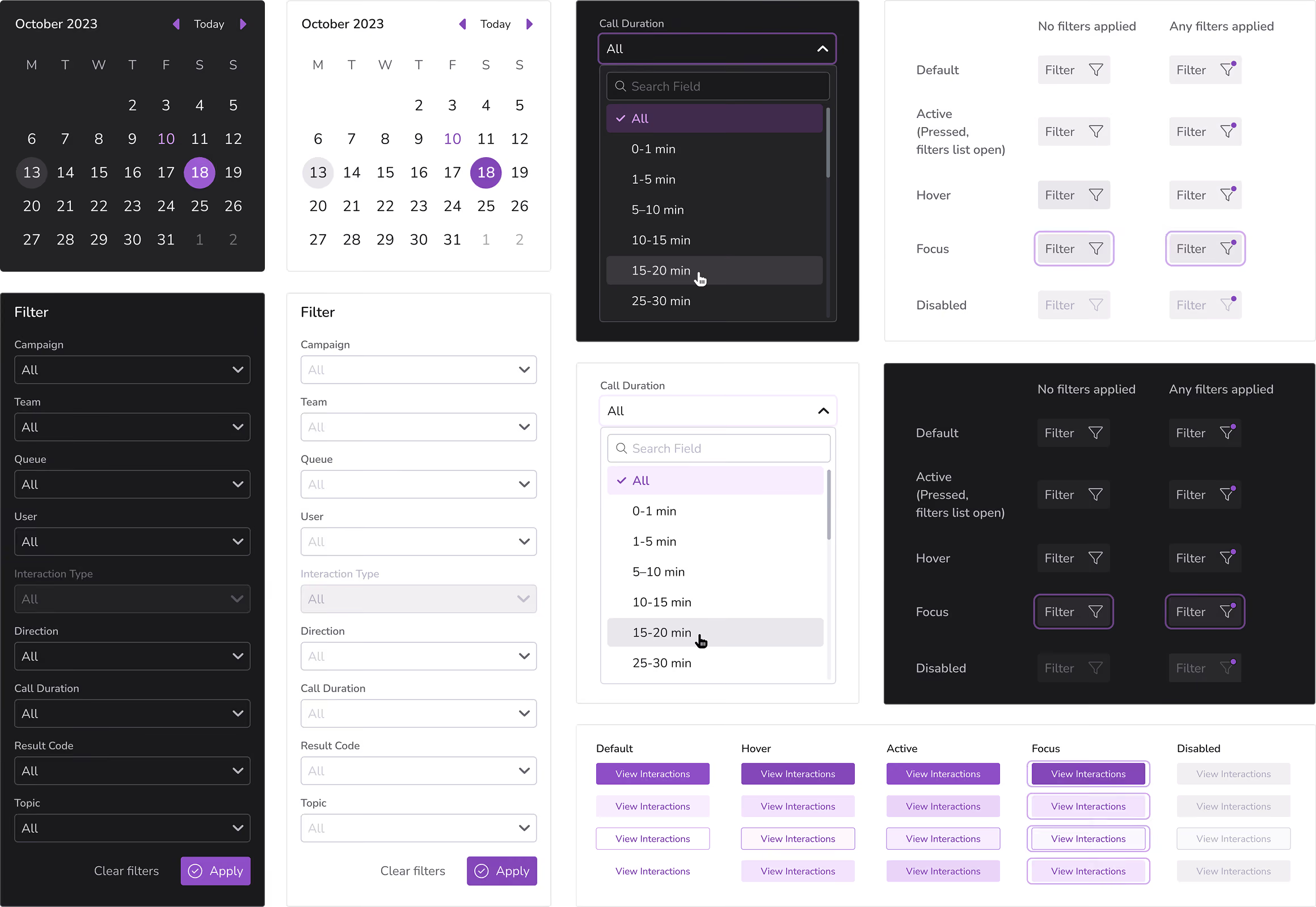
To make it happen we built a scalable UI kit with reusable components, interactive states, and consistent patterns to streamline the design process and ensure a cohesive user experience across the entire product.
The Norm UX Designers
Coherent Solutions cross-functional team
MaxContact product team